New vehicle inspection
Start with the vehicle information0Pass
0Attention
0Fail
Vehicle information
Technical inspection
Select a status. The approved CarSure remark and recommended action are inserted automatically, but your inspector can edit either field.
Diagnostics and conclusion
OBD tool generated report
Upload the PDF generated by your OBD tool, or upload scan screenshots. Every PDF page will be converted and inserted immediately after this diagnostic summary in the final report.
Inspection photos
Photo 1 is used as the cover photograph. Add exterior, engine bay, underbody, dashboard, tyres, paint map, or diagnostic screenshots.
Blueprint paint map and sign-off
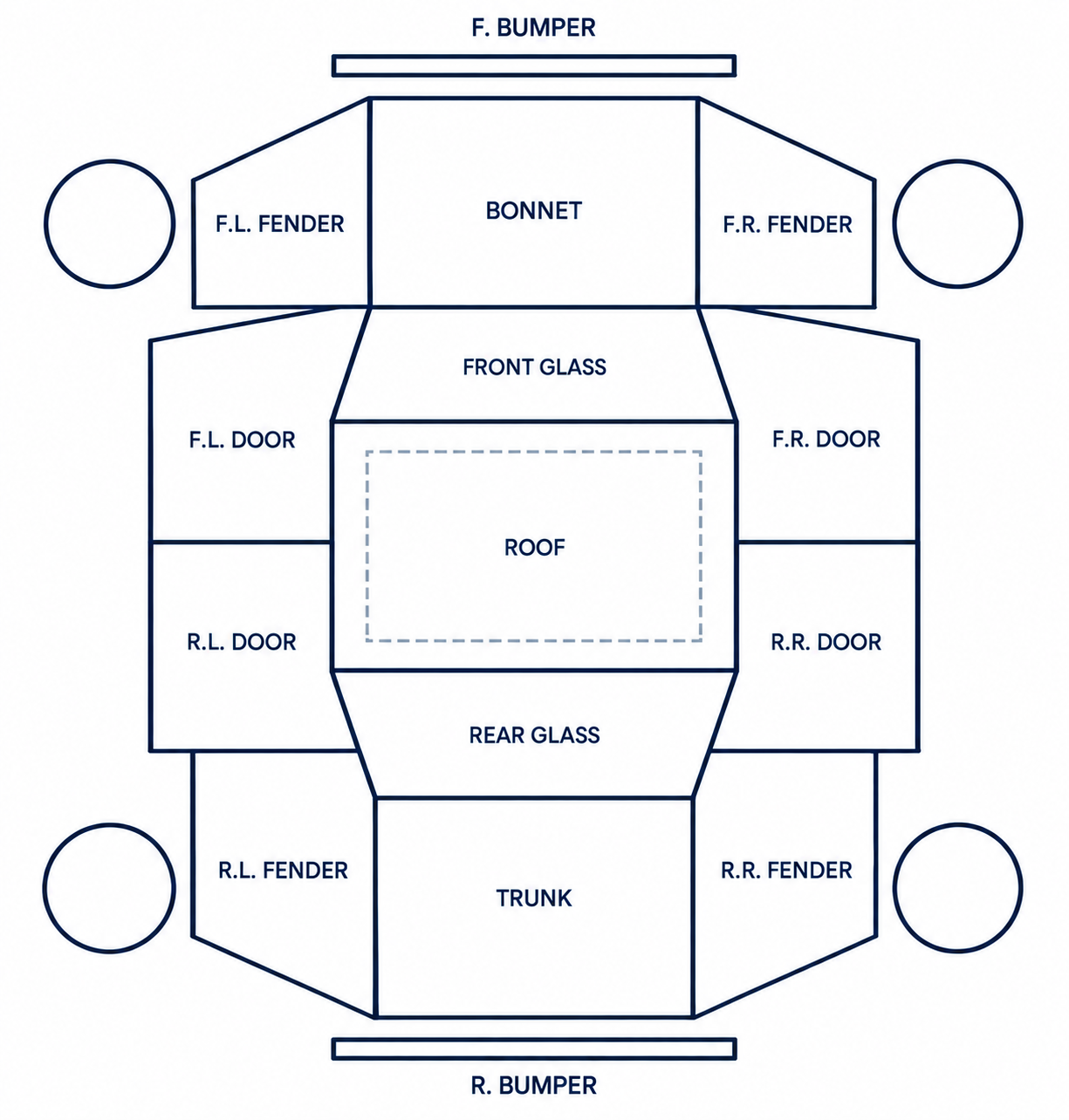
Enter a paint code below and it will automatically appear over the matching vehicle panel. A - Scratch or crack · AU - Scratch and dent · C - Corrosion · W - Repair history/repaint evidence · S - Rust · X - Part replacement required · U - Dent · XX - Part replacement history
Official verification images
Review and export
Generate PDF opens the browser print window. Choose “Save as PDF” for the final customer report.